
| Macromedia Dreamweaver MX Private Training by Paul Costante | ||
 |
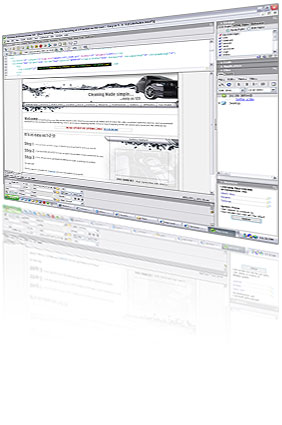
This program has been designed to teach you the fundamentals of Dreamweaver MX from the ground up. It is demanding of your commitment & dedication. Students will train using Macromedia's Dreamweaver MX in a 2 day week-end intensive course, giving you total hands-on experience exploring Dreamweaver's amazing capabilities to produce fully functional web sites with-out having to be an expert in HTML coding. The Beauty of Macromedia's Dreamweaver MX is its ability to produce HTML code through the use of a user friendly graphical interface. I would like to provide you with a brief background on myself in order to give you a better idea of who I am and some of my accomplishments. I have been strongly working in the field of new media and new technology for the past 7 years. Currently I work for Canada’s largest privately owned ad agency called Pi Media Networks (a division of St Joseph Print Corporation). My role here is a Senior Web Designer & Developer for the interactive division. You can find my personal website which demonstrates some of my past and current portfolio items including web, 3D and print design: www.paulcostante.com |
|
| 2 Day Course Curriculum | |||
|
| How Will You Benefit? |
Attending this course will give you a good understanding of how to use Macromedia Dreamweaver MX to design web pages to publish on the Internet. You will be able to: - Create new web pages - Maintain existing web content - Maintain & administer your own web site |
| Who Should Attend? |
This program has been designed for people who would like to step into the world of creating web sites. This course has been designed for people who need a thorough introduction to Dreamweaver, with no prior experience in web development. Prerequisites: General proficiency with a computer is a plus. |
| Pricing / Schedule / Location of Lessons |
- Only 4 spaces max available per weekend. - Each workshop runs selected weekends from 9:30am to 4:30pm with a half hour lunch & learn break. - The cost of each work shop is $350 per person for the week-end and can be paid by cash or cheque. If a receipt is required please add GST. - Discounted group rates are available. You can save $50 if you bring a friend. Save $75 if bring 2 friends. Save $100 if you bring 3 friends. - Course location is in the South West end of Mississauga (Clarkson area) - To inquire about the next available seat and for further information, please fill out the form below. |
| Booking Request / Information Request |
Please fill out the below information to enquire about booking availability. |
